
Perhaps the biggest difference I have experienced between my time so far in graduate school from my undergraduate studies has been the very high amount of readings assigned each week. These readings, along with lectures, have already led to a lot (and I mean a lot) of notes. So, I thought that I would make my first blog post about how I utilize a tool called Obsidian to organize, and more importantly, connect, all of these notes together.
The major advantages I have found to using Obsidian are that it is free, your data is owned by you and stored locally (unless you choose to pay for Obsidian Sync, in which case it is encrypted), and, most importantly, you can link notes together. As far as organization goes, I have 7 main folders: Concepts and Topics, Courses, Files, Lecture Notes, Refined Notes, and Templates, in addition to a home page where I list out all of my active courses along with a to-do list for the week. Each course has its own page as well, which provides links to all of my reading and lecture notes for that course. The real power of Obsidian, however, is being able to essentially link different notes together, which is especially useful if you identify a particular topic that comes up regularly in readings and/or lectures that you might want to expand upon later. For instance, the California Environmental Quality Act (or CEQA for short) has come up many times already in my studies. As a result, I have created a dedicated note for it in the Concepts and Topics folder, which I link to in each reading / lecture note that mentions it. As I find more and more sources that mention CEQA, I will populate the note with additional information.
I have found that the below note template has worked rather well for me so far
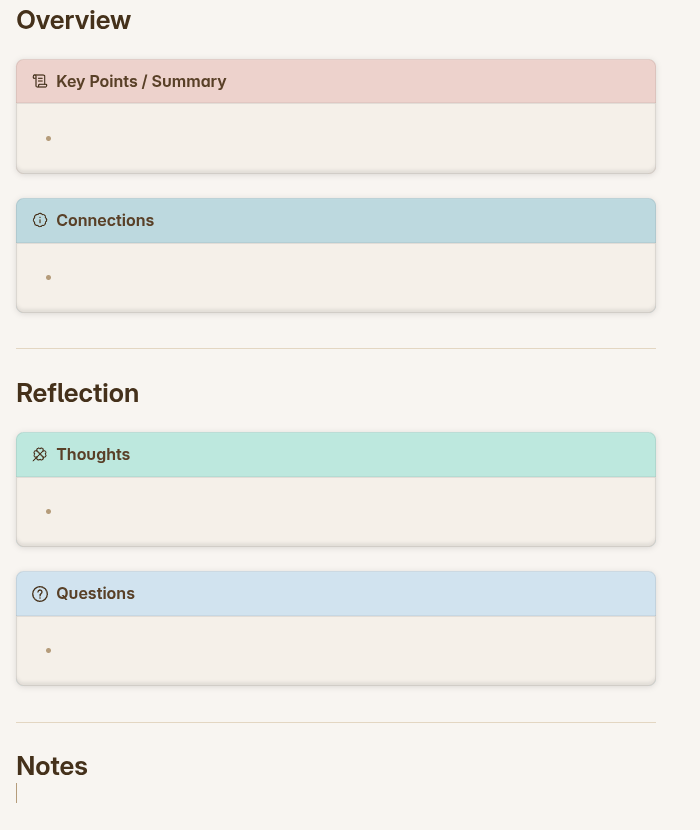
First, I fill out my notes as I normally would under the Notes header at the bottom. As soon as I complete the lecture / reading, I write a summary of it under Key Points / Summary so that I can both better remember and easily refer back to the most important points made in my notes. The Connections section contains links to other related lectures / readings / notes / topics. Next, I fill in the Thoughts section if I have any commentary of my own to provide or find any information that could be useful for a future paper or project. Finally, I fill in any questions that have not been answered yet under Questions.
As I write this post, I am about to enter my fifth week in the program and hope to write some more substantive posts in the near future.

